Integration Steps
Google Calendar connects via OAuth 2.0. After authentication, all calendar and event operations target the connected user's Google Calendar.
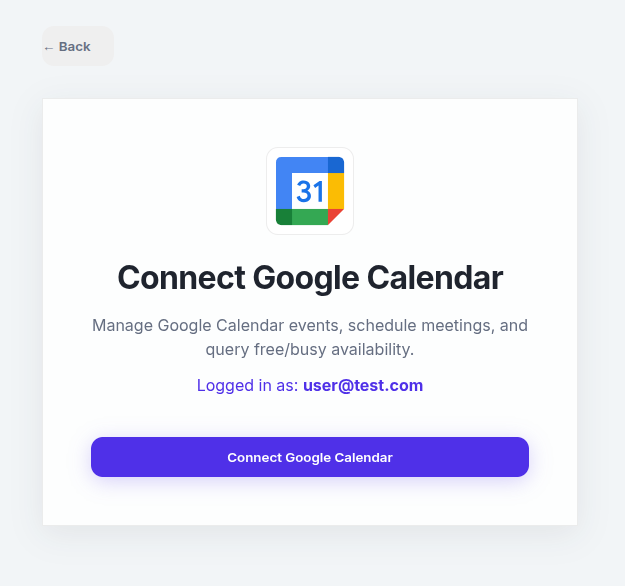
Connect Google Calendar via the UI
Navigate to Integrations → Google Calendar and click Connect. After Google authentication the connection is ready immediately.
🔑 Scope: LawLink requests full calendar access to read, create, update and delete events.
Calendar Operations
List Calendars
Retrieve all calendars in the authenticated user's calendar list.
# Get all calendars
curl.exe -X GET \
  "https://app.lawlink.ai/api/v1/gcal/calendars" \
  -H "Authorization: Bearer ACCESS_TOKEN"
Create a Calendar
Create a new secondary calendar owned by the authenticated user.
curl.exe -X POST \
  "https://app.lawlink.ai/api/v1/gcal/calendars" \
  -H "Authorization: Bearer ACCESS_TOKEN" \
  -H "Content-Type: application/json" \
-d '{ "summary": "Matter: Smith v. Jones", "timeZone": "America/New_York" }'Event Operations
Events belong to a specific calendar ID (use primary for the default calendar).
List Events
List events on a specific calendar. Can be filtered by time range or query.
curl.exe -X GET \
  "https://app.lawlink.ai/api/v1/gcal/calendars/primary/events?limit=50" \
  -H "Authorization: Bearer ACCESS_TOKEN"
Create an Event
Create a new event with optional attendees.
curl.exe -X POST \
  "https://app.lawlink.ai/api/v1/gcal/calendars/primary/events" \
  -H "Authorization: Bearer ACCESS_TOKEN" \
  -H "Content-Type: application/json" \
  -d '{
  "summary": "Client Meeting",
  "start": { "dateTime": "2026-07-02T10:00:00Z" },
  "end": { "dateTime": "2026-07-02T11:00:00Z" },
  "attendees": [{ "email": "client@example.com" }]
}'
Update, Patch & Delete Events
# Patch an event (partial update)
curl.exe -X PATCH \
  "https://app.lawlink.ai/api/v1/gcal/calendars/primary/events/EVENT_ID" \
  -H "Authorization: Bearer ACCESS_TOKEN" \
  -H "Content-Type: application/json" \
  -d '{ "summary": "Rescheduled Meeting" }'

# Delete an event
curl.exe -X DELETE \
  "https://app.lawlink.ai/api/v1/gcal/calendars/primary/events/EVENT_ID" \
-H "Authorization: Bearer ACCESS_TOKEN"ACL & Sharing
Share a Calendar
Add an ACL rule to share a calendar with another user (e.g., granting read access).
curl.exe -X POST \
  "https://app.lawlink.ai/api/v1/gcal/calendars/CALENDAR_ID/acl" \
  -H "Authorization: Bearer ACCESS_TOKEN" \
  -H "Content-Type: application/json" \
  -d '{
  "role": "reader",
  "scope": { "type": "user", "value": "colleague@lawfirm.com" }
}'