Integration Steps
Calendly connects via OAuth 2.0. After authentication, your scheduled events are synced via LawLink's API.
Connect Calendly via the UI
Navigate to Integrations → Calendly and click Connect. After OAuth authentication the connection is ready immediately.
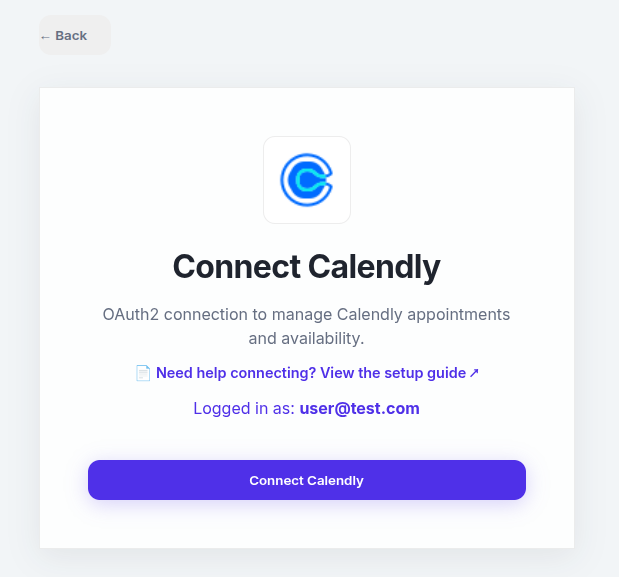
🔑 Scope: LawLink requests bidirectional read/write access to view your Calendly profile, list scheduled events, and book or cancel meetings on your behalf.
Event Operations
Calendly events are queried through the standard Events endpoint.
List Scheduled Events
Retrieve your Calendly scheduled events.
# Get events from Calendly
curl.exe -X GET \
  "https://app.lawlink.ai/api/v1/universal/events?platform_id=calendly&limit=50" \
  -H "Authorization: Bearer ACCESS_TOKEN"
Get a Single Event
Retrieve full details of a specific Calendly event.
curl.exe -X GET \
  "https://app.lawlink.ai/api/v1/universal/events/EVENT_UUID?platform_id=calendly" \
  -H "Authorization: Bearer ACCESS_TOKEN"
Book a Meeting (Create Invitee)
Book a new Calendly event by scheduling an invitee directly.
curl.exe -X POST \
  "https://app.lawlink.ai/api/v1/universal/events?platform_id=calendly" \
  -H "Authorization: Bearer ACCESS_TOKEN" \
  -H "Content-Type: application/json" \
  -d '{
    "start_at": "2026-07-01T14:30:00Z",
    "event_type": "https://api.calendly.com/event_types/UUID",
    "attendees": [{"name": "John Doe", "email": "john@example.com"}],
    "extra": {"timezone": "America/New_York"}
  }'
Cancel an Event
Cancel an existing Calendly scheduled event.
curl.exe -X DELETE \
  "https://app.lawlink.ai/api/v1/universal/events/EVENT_UUID?platform_id=calendly" \
  -H "Authorization: Bearer ACCESS_TOKEN"